Dashboard Reports Overview
Report Section
To access the reporting section, move the cursor over the reporting tab and click on the desired type of report you want to produce.
It is possible to export some types of reports to various file formats.
Transactions
Transaction reports can be consulted on the webpage, or they can be exported to the following file formats: CSV, Excel, PDF
To apply the filter, click the search button and then you can select the format you want your report to be exported.
Rentals
Rental reports can be consulted on the webpage or they can be exported to the following file formats: CSV, EXCEL, ODS, PDF, RTF and XML
To apply the filter, click the search button and then you can select the format you want your report to be exported.
Events
Events reports can be consulted on the webpage only
Alerts
Alert reports can be consulted on the webpage or they can be exported to the following file formats: CSV, EXCEL
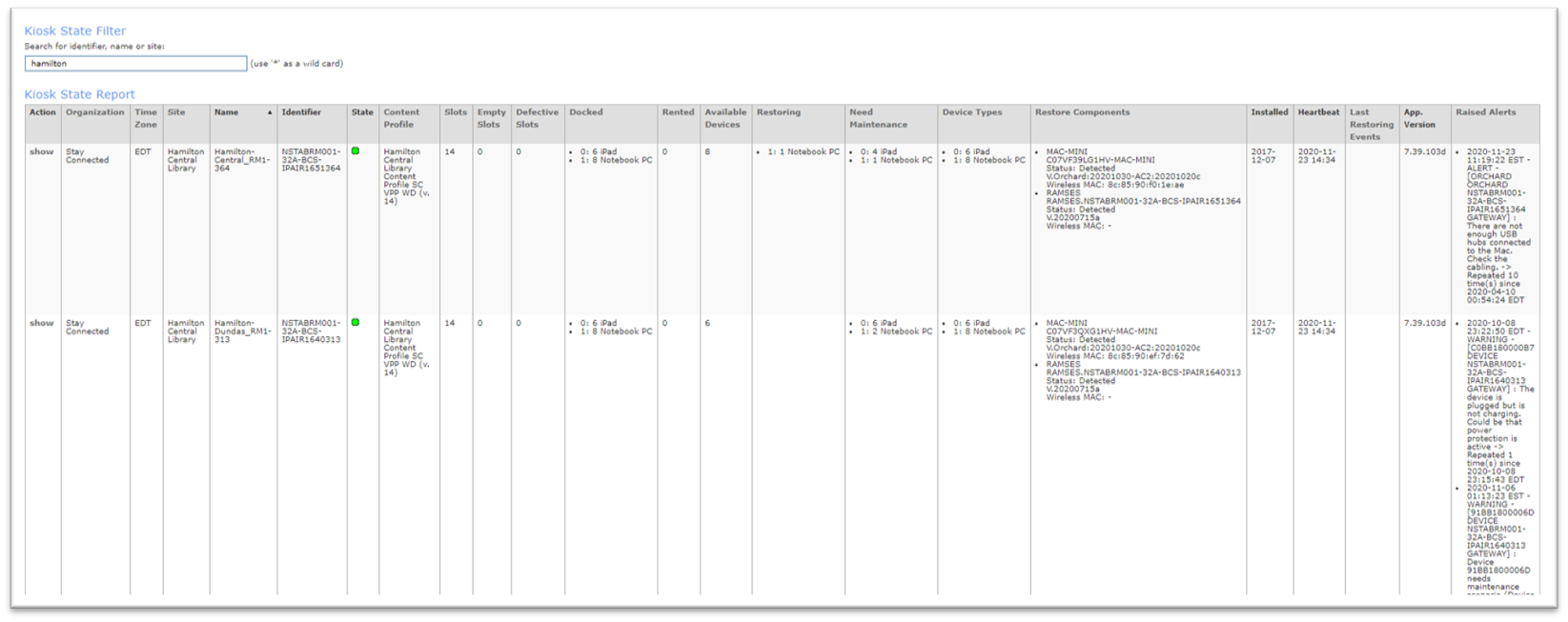
Kiosk State
General horizontal view of the kiosks states including raised alerts
Kiosk state reports can be consulted on the webpage or they can be exported to the following file formats: CSV, EXCEL
Device History
Device history reports can be consulted on the webpage or they can be exported to the following file formats: CSV, EXCEL
Device State
Device state reports can be consulted on the webpage or they can be exported to the following file formats: CSV, EXCEL
The device state report list all information about each device, including the device state and last event.
Content Profile State
Content profile state reports can be consulted on the webpage or they can be exported to the following file formats: CSV, EXCEL
Survey Statuses
Lists all survey reports in reverse chronological order (newest first) can be consulted on the webpage only
Device Availablity
Device availability reports allow you to report all device states between available, rented or slotted (inserted in the kiosk but not available).
Device availability reports can be consulted on the webpage or they can be exported to the following file formats: CSV, EXCEL
Video Surveillance Clips
Related Articles
Dashboard Overview
If you wish to have access to our dashboard platform, please send us an email at support@stayconnected.co and we will create you an access. Activate your Netspot Dashboard account After requesting your dashboard access to one of Stay Connected agent, ...Touchscreen Overview
Touchscreen Overview Screen Saver & Background Logo The screen saver logo can be modified at your discretion. It's a maximum of 380x380 px. For the background logo, we suggest a rectangular logo with a size of 100x380 px. Step 1: Language selection ...